
One of the common traps with Apps Script libraries is when the library uses an Advanced Google Service (like the Sheets API).
Even if the logic lives in the library, the calling script must also enable and authorize the same service.
1. Library Project
Let’s say you create a project called SheetsHelper.
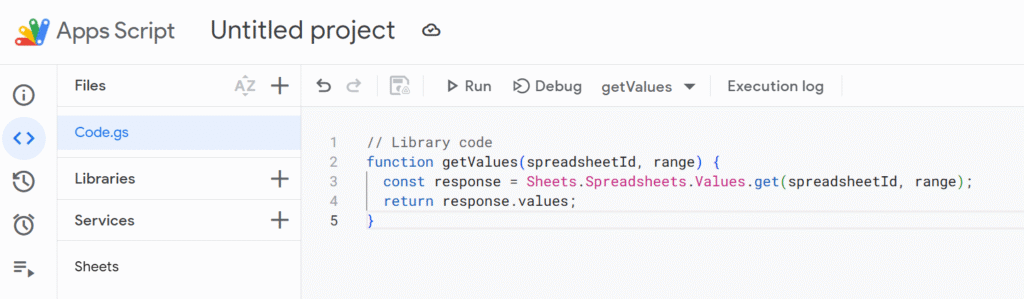
It has one function to read sheet values using the Advanced Sheets API:
// Library code
function getValues(spreadsheetId, range) {
  const response = Sheets.Spreadsheets.Values.get(spreadsheetId, range);
  return response.values;
}
This uses the Sheets API, not the simpler SpreadsheetApp. This service needs to be enabled manually from the left side panel in the Apps Script UI.
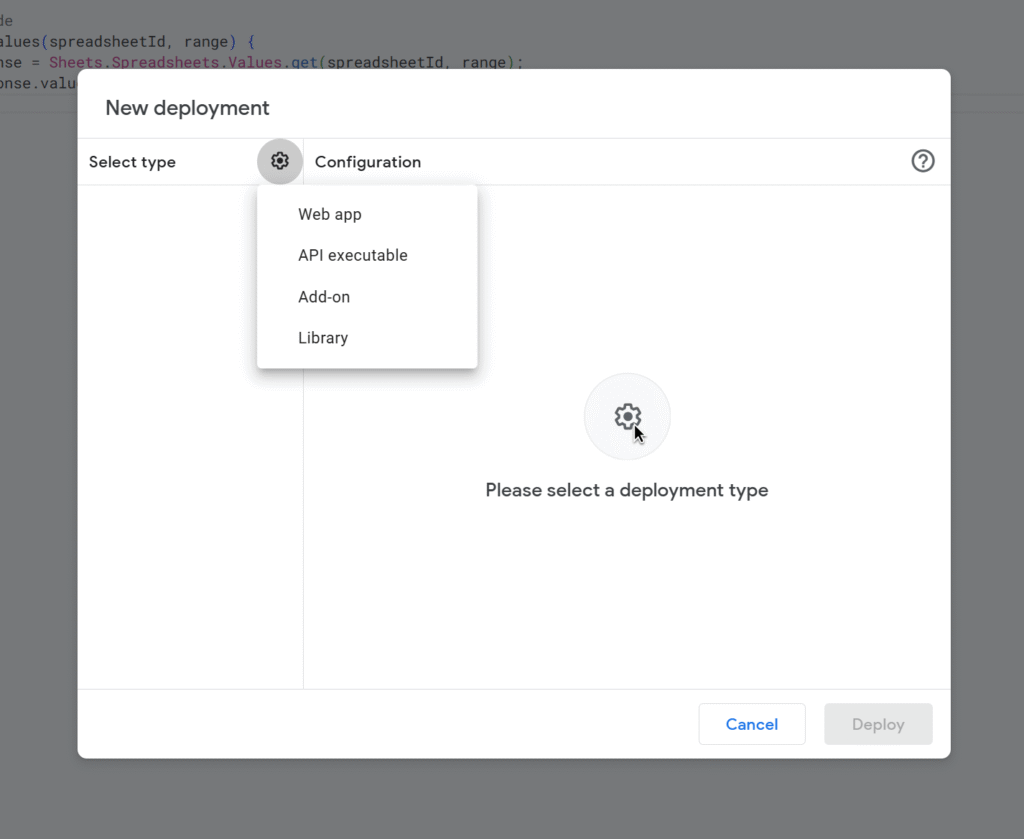
2. Deploy the Library
- Save your project.
- Go to File > Project properties > Script ID, copy the ID.
- In your target script, go to Services > Libraries, paste the Script ID, and give it a name like
SheetsHelper.
3. Calling Script
Now in another project you call your newly deployed library:
function testLibrary() {
  const ssId = SpreadsheetApp.getActiveSpreadsheet().getId();
  const data = SheetsHelper.getValues(ssId, "Sheet1!A1:C5");
  Logger.log(data);
}
Sheets service must also be enabled in the calling script. Otherwise, this will throw an error.
Apps Script libraries don’t run in isolation.
The execution environment is always the calling script.
That means:
- Scopes are declared in the caller’s
appsscript.json. - Advanced Services must be enabled in the caller’s project.
- Authorizations are stored per user + calling project, not in the library.
The library is just code, the permissions live in the project that calls it.
When using a library that depends on APIs, you must configure the calling project with the same advanced settings. Libraries don’t transfer authorizations — they only share code.