If you code in Google Apps Script using clasp, you already use clasp pull and clasp push.
But as soon as you work with multiple environments (dev and prod), manually changing the scriptId in .clasp.json becomes annoying, and risky.
Here’s a simple and clean way to manage dev and prod environments with clasp.
Create one clasp file per environment
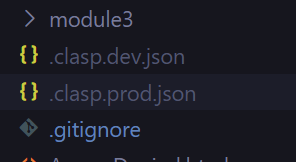
Let’s say we have a dev env and a prod one, then we would have:
.clasp.dev.json
{
  "scriptId": "DEV_SCRIPT_ID"
}
clasp.prod.json
{
  "scriptId": "PROD_SCRIPT_ID"
}
And then clasp.json in our gitignore.
Define commands in package.json
Then, we can use npm scripts to switch environments automatically.
package.json
{
  "scripts": {
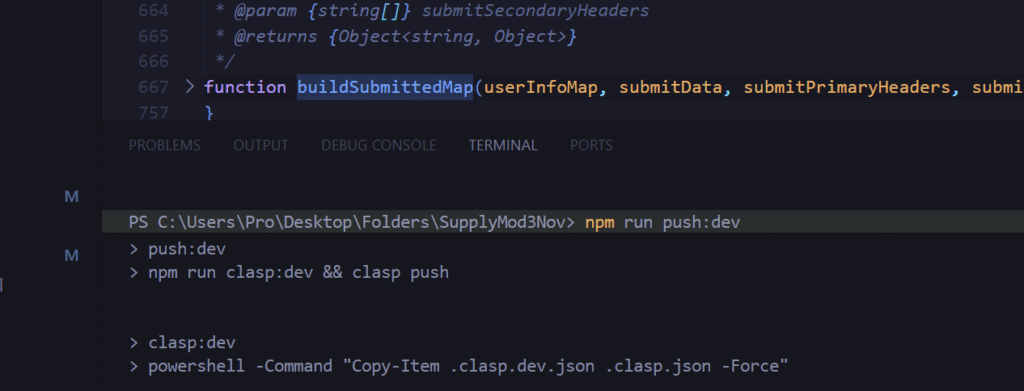
    "clasp:dev": "powershell -Command \"Copy-Item .clasp.dev.json .clasp.json -Force\"",
    "clasp:prod": "powershell -Command \"Copy-Item .clasp.prod.json .clasp.json -Force\"",

    "push:dev": "npm run clasp:dev && clasp push",
    "push:prod": "npm run clasp:prod && clasp push",

    "pull:dev": "npm run clasp:dev && clasp pull",
    "pull:prod": "npm run clasp:prod && clasp pull"
  }
}
Now you can run:
npm run push:dev
npm run pull:prod
No manual edits. No mistakes!