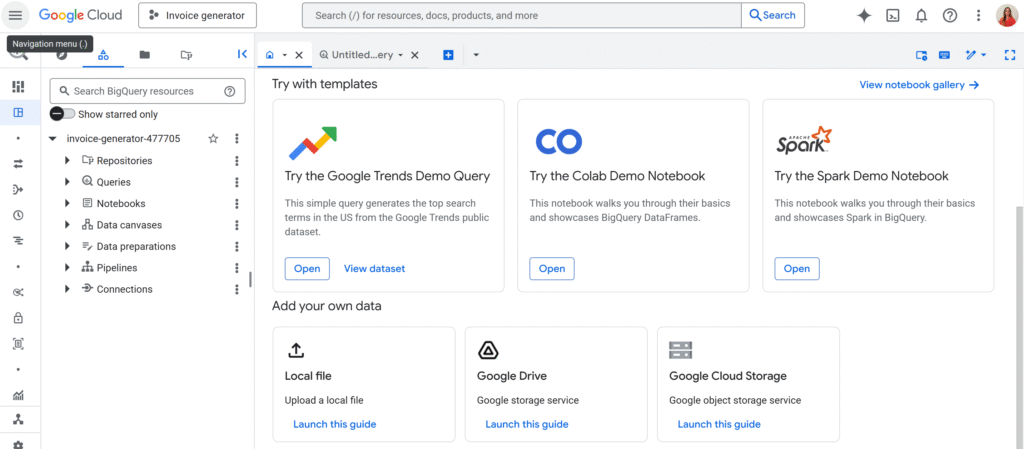
I love BigQuery. It’s the beast that handles the data Google Sheets chokes on. But let’s be honest: connecting it to Apps Script can sometimes feel like trying to open a locked door while holding a handful of different keys.
Usually, you just turn on the “BigQuery Advanced Service,” run a query, and it works, because it runs as you.
But what happens when you want your script to run at 3 AM via a trigger? Or what if you need to query a project that you, personally, shouldn’t have full access to? Or maybe you’re building a Web App and you don’t want the user to need their own GCP permissions?
That’s where the standard setup breaks. And that is exactly why I built SuperBQ.
In this article, I’m going to share a clean, functional library I wrote to handle BigQuery via a Service Account. We’ll cover why you need OAuth2, how to set it up, and the code to make it all seamless.
Auth: What is it and why do we need it?
Authentication (“Auth”) is simply the process of proving who you are. It’s the digital bouncer checking your ID at the door of your Google Cloud project.
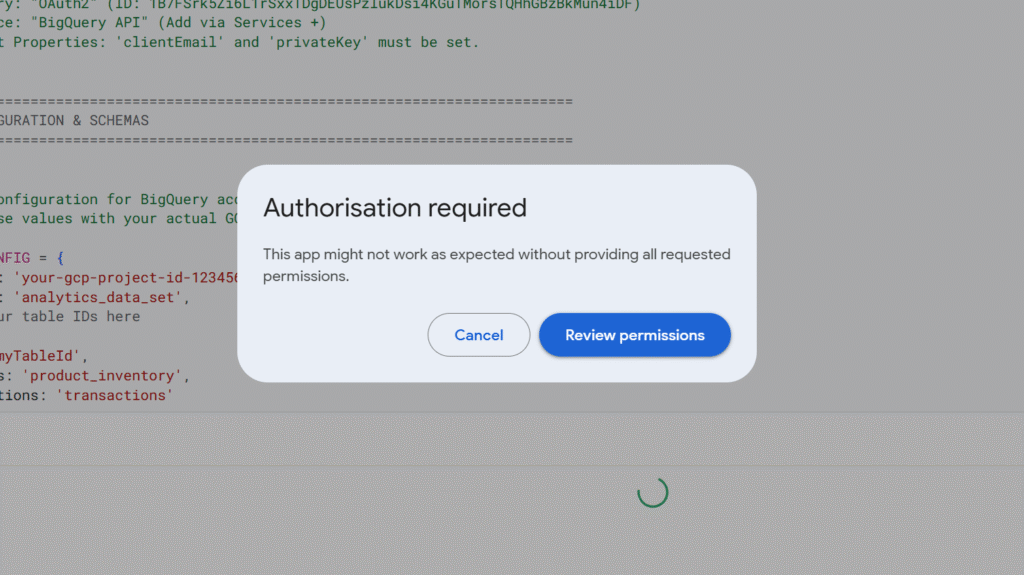
In the world of Google Apps Script, “Auth” usually happens when that pop-up appears asking you to “Review Permissions” and click “Allow.” That token proves that you (the human) are present and consenting to the script acting on your behalf.
But OAuth2 with a Service Account is different. Instead of a human clicking “Allow,” we use a Service Account, a “robot” identity. It authenticates by exchanging a cryptographic key for a temporary access pass (a token). This allows the script to prove its own identity without a human ever being involved.
Why go through the trouble? This “robot” approach gives us two massive superpowers:
- “Headless” Automation: Standard scripts fail if there isn’t a user at the keyboard to click “Allow.” A Service Account allows your script to run entirely in the background (like a nightly data sync) because the robot never needs to sleep or log in.
- Cross-Project Tunneling: Apps Script projects are usually bound to a specific “Default” Cloud Project. By using this custom OAuth setup, your script can ignore that default binding and “tunnel” into any GCP project where your Service Account has access keys.
The OAuth2 Library
To make the robot talk to Google, we have to generate a token. This involves creating a JWT (JSON Web Token) and signing it with a cryptographic key.
We are definitely not going to write RSA-SHA256 signatures from scratch (yikes). Instead, we rely on the standard, battle-tested OAuth2 for Apps Script library maintained by Google.
In your Apps Script editor, go to Libraries and add this Script ID:
1B7FSrk5Zi6L1rSxxTDgDEUsPzlukDsi4KGuTMorsTQHhGBzBkMun4iDF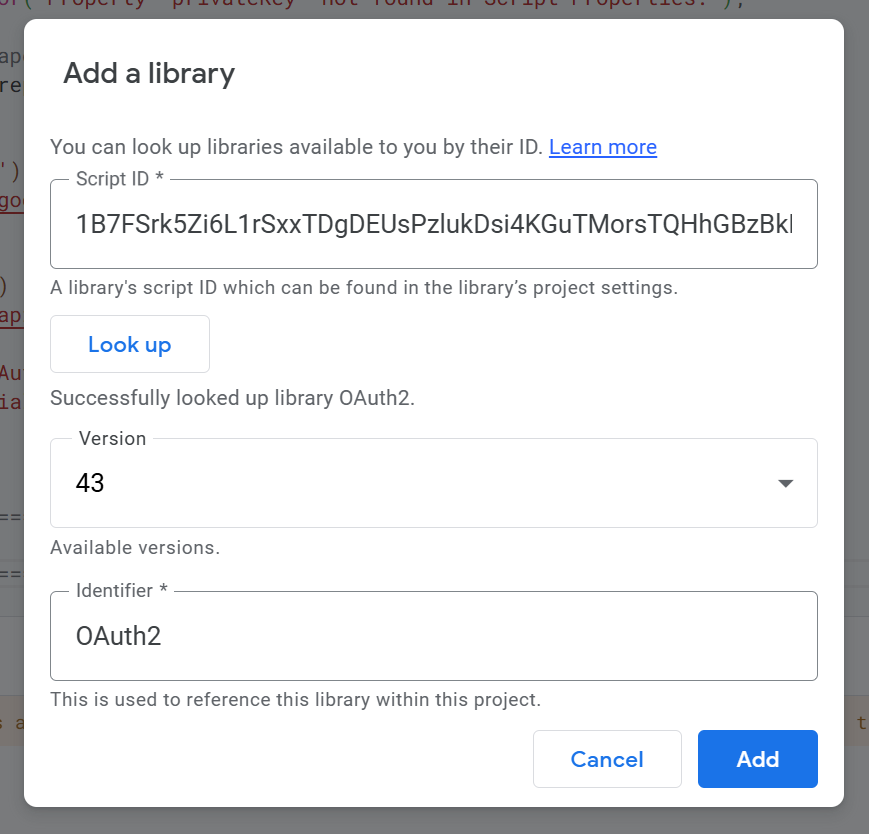
The Service Account & Script Properties
Now we need the keys for the robot. Head over to your Google Cloud Console, create a Service Account, and give it the BigQuery Data Editor and BigQuery Job User roles.
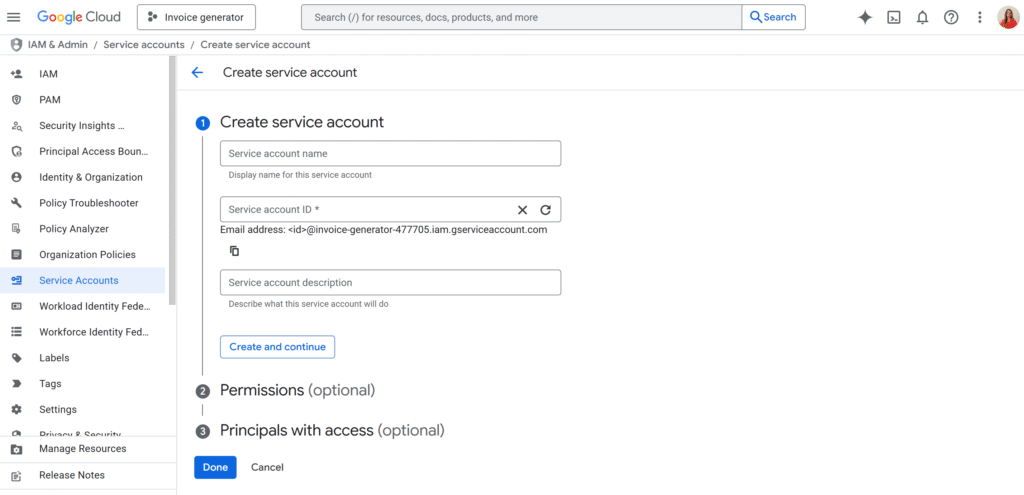
Once created, generate a JSON Key and download it. Open that file in a text editor. You are looking for two specific values: client_email and private_key (the long string starting with -----BEGIN PRIVATE KEY-----).
Do not hardcode these in your script. If you share your code, you share your keys.
Instead, go to Project Settings > Script Properties in the Apps Script editor and add them there:
- Property:
clientEmail/ Value:your-service-account@... - Property:
privateKey/ Value: (Paste the entire key string)
The Script
This library handles the heavy lifting for you:
- Auth: It grabs your properties and mints the token.
- Caching: It hashes your query and caches the result for 5 minutes, so you don’t pay for the same query twice.
- Async Waiting: BigQuery isn’t always instant. This script automatically polls the job and waits for it to finish.
/**
 * SuperBQ Library
 * * A functional library for managing BigQuery interactions within Google Apps Script.
 * * DEPENDENCIES:
 * 1. Library: "OAuth2" (ID: 1B7FSrk5Zi6L1rSxxTDgDEUsPzlukDsi4KGuTMorsTQHhGBzBkMun4iDF)
 * 2. Service: "BigQuery API" (Add via Services +)
 * 3. Script Properties: 'clientEmail' and 'privateKey' must be set.
 */

// ============================================================================
// 1. CONFIGURATION
// ============================================================================

const BQ_CONFIG = {
  projectId: 'your-gcp-project-id-123456', // UPDATE THIS
  datasetId: 'analytics_data_set',          // UPDATE THIS
};

// ============================================================================
// 2. AUTHENTICATION (OAuth2)
// ============================================================================

/**
 * Creates and returns a configured OAuth2 service for BigQuery.
 * Requires 'clientEmail' and 'privateKey' in Script Properties.
 */
function getBQOAuthService() {
  const scriptProps = PropertiesService.getScriptProperties();
  const clientEmail = scriptProps.getProperty("clientEmail");
  const privateKeyRaw = scriptProps.getProperty("privateKey");

  if (!clientEmail) throw new Error("Property 'clientEmail' not found in Script Properties.");
  if (!privateKeyRaw) throw new Error("Property 'privateKey' not found in Script Properties.");

  // Format private key (handle escaped newlines)
  const privateKey = privateKeyRaw.replace(/\\n/g, '\n');

  try {
    return OAuth2.createService('BQ')
      .setTokenUrl('https://oauth2.googleapis.com/token')
      .setPrivateKey(privateKey)
      .setIssuer(clientEmail)
      .setPropertyStore(scriptProps)
      .setScope('https://www.googleapis.com/auth/bigquery');
  } catch (error) {
    console.error("Error creating OAuth2 service:", error);
    throw new Error("Failed to initialize BQ OAuth Service: " + error.message);
  }
}

// ============================================================================
// 3. CORE BIGQUERY FUNCTIONS
// ============================================================================

/**
 * Executes a BigQuery query (sync/async) and returns the results as an array of objects.
 * Handles caching automatically.
 */
function runBigQuery(query, oauthService = getBQOAuthService(), gcpProject = BQ_CONFIG.projectId, cacheExpirationMinutes = 300) {
  const url = `https://bigquery.googleapis.com/bigquery/v2/projects/${gcpProject}/queries`;

  if (!oauthService.hasAccess()) {
    throw new Error("BigQuery authorization error: " + oauthService.getLastError());
  }

  // 1. Check Cache
  const queryHash = Utilities.computeDigest(Utilities.DigestAlgorithm.SHA_256, query);
  const cacheKey = `bq_cache_${_convertByteArrayToHex(queryHash)}`;
  const cachedData = _retrieveFromCache(cacheKey);

  if (cachedData) {
    console.log('Result retrieved from cache.');
    return JSON.parse(cachedData);
  }

  // 2. Execute Query
  const headers = { Authorization: `Bearer ${oauthService.getAccessToken()}` };
  const options = {
    method: "post",
    headers: headers,
    contentType: "application/json",
    payload: JSON.stringify({ query: query, useLegacySql: false }),
    muteHttpExceptions: true
  };

  try {
    const response = UrlFetchApp.fetch(url, options);
    const responseData = JSON.parse(response.getContentText());

    let finalData = [];
    let pageToken = null;
    let jobId = responseData?.jobReference?.jobId;

    if (jobId && !responseData.jobComplete) {
      // Long running query
      console.log(`Job ID: ${jobId} - Waiting asynchronously...`);
      const jobData = _waitForJobCompletion(gcpProject, jobId, oauthService);

      if (jobData?.status?.errorResult) throw new Error(`Job failed: ${jobData.status.errorResult.message}`);

      if (jobData.rows) finalData = _parseBigQueryResponse(jobData);
      pageToken = jobData.pageToken;

      // Handle Pagination
      while (pageToken) {
        const paginatedUrl = `https://bigquery.googleapis.com/bigquery/v2/projects/${gcpProject}/queries/${jobId}?pageToken=${pageToken}`;
        const pResp = UrlFetchApp.fetch(paginatedUrl, { method: "get", headers, muteHttpExceptions: true });
        const pData = JSON.parse(pResp.getContentText());
        if (pData.rows) finalData = finalData.concat(_parseBigQueryResponse(pData));
        pageToken = pData.pageToken || null;
      }
    } else if (responseData.rows) {
      // Fast query
      finalData = _parseBigQueryResponse(responseData);
    }

    // 3. Store in Cache
    _storeInCache(cacheKey, JSON.stringify(finalData), cacheExpirationMinutes);
    return finalData;

  } catch (error) {
    console.error("Error executing BigQuery request:", error);
    throw error;
  }
}

// ============================================================================
// 4. INTERNAL HELPER FUNCTIONS
// ============================================================================

const _MAX_CACHE_SIZE = 100 * 1024;

function _storeInCache(key, data, minutes) {
  const cache = CacheService.getScriptCache();
  const seconds = minutes * 60;
  if (data.length > _MAX_CACHE_SIZE) {
    const parts = Math.ceil(data.length / _MAX_CACHE_SIZE);
    for (let i = 0; i < parts; i++) {
      const chunk = data.substring(i * _MAX_CACHE_SIZE, (i + 1) * _MAX_CACHE_SIZE);
      cache.put(`${key}_p${i}`, chunk, seconds);
    }
    cache.put(`${key}_count`, parts.toString(), seconds);
  } else {
    cache.put(key, data, seconds);
  }
}

function _retrieveFromCache(key) {
  const cache = CacheService.getScriptCache();
  const countStr = cache.get(`${key}_count`);
  if (countStr) {
    let full = '';
    const count = parseInt(countStr, 10);
    for (let i = 0; i < count; i++) {
      const chunk = cache.get(`${key}_p${i}`);
      if (!chunk) return null;
      full += chunk;
    }
    return full;
  }
  return cache.get(key);
}

function _waitForJobCompletion(projectId, jobId, oauthService, interval = 2000, maxWait = 180000, opts = {}) {
  const start = Date.now();
  const location = opts.location || (typeof BigQuery !== 'undefined' ? BigQuery.Datasets.get(projectId, BQ_CONFIG.datasetId).location : null);

  while (Date.now() - start < maxWait) {
    const url = `https://bigquery.googleapis.com/bigquery/v2/projects/${projectId}/jobs/${jobId}` +
                (location ? `?location=${location}` : '');
    const resp = UrlFetchApp.fetch(url, {
      headers: { Authorization: `Bearer ${oauthService.getAccessToken()}` },
      muteHttpExceptions: true
    });
    if (resp.getResponseCode() === 200) {
      const job = JSON.parse(resp.getContentText());
      if (job.status.state === 'DONE') return job;
    }
    Utilities.sleep(interval);
  }
  throw new Error("Timeout waiting for Job " + jobId);
}

function _parseBigQueryResponse(data) {
  if (!data.schema || !data.rows) return [];
  const headers = data.schema.fields.map(f => f.name);
  return data.rows.map(row => {
    const obj = {};
    row.f.forEach((cell, i) => {
      obj[headers[i]] = cell.v;
    });
    return obj;
  });
}

function _convertByteArrayToHex(byteArray) {
  return byteArray.map(b => ('0' + (b & 0xFF).toString(16)).slice(-2)).join('');
}
I’ve open-sourced this library, so if you want to improve it or suggest features, feel free to contribute on GitHub.